Search YouTube.
Instantly.

Find exactly where and what was said - in seconds. Skip the noise. Jump straight to the moment that matters.
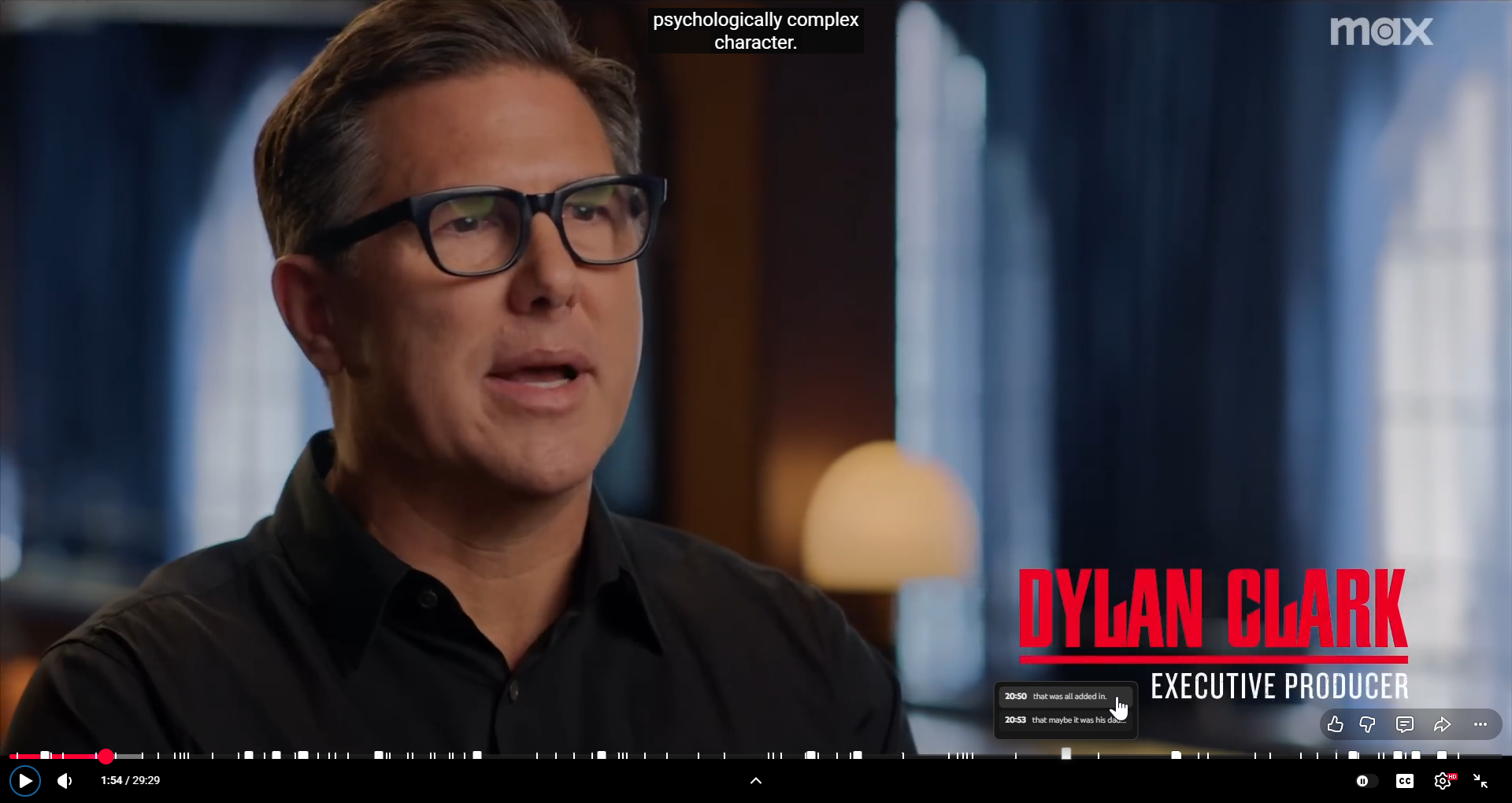
Time cluster timeline screenshot
4:32 "colin farrell"
12:08 "episode one"
28:47 "3d animation"
Save hundreds of hours.
Get more done.

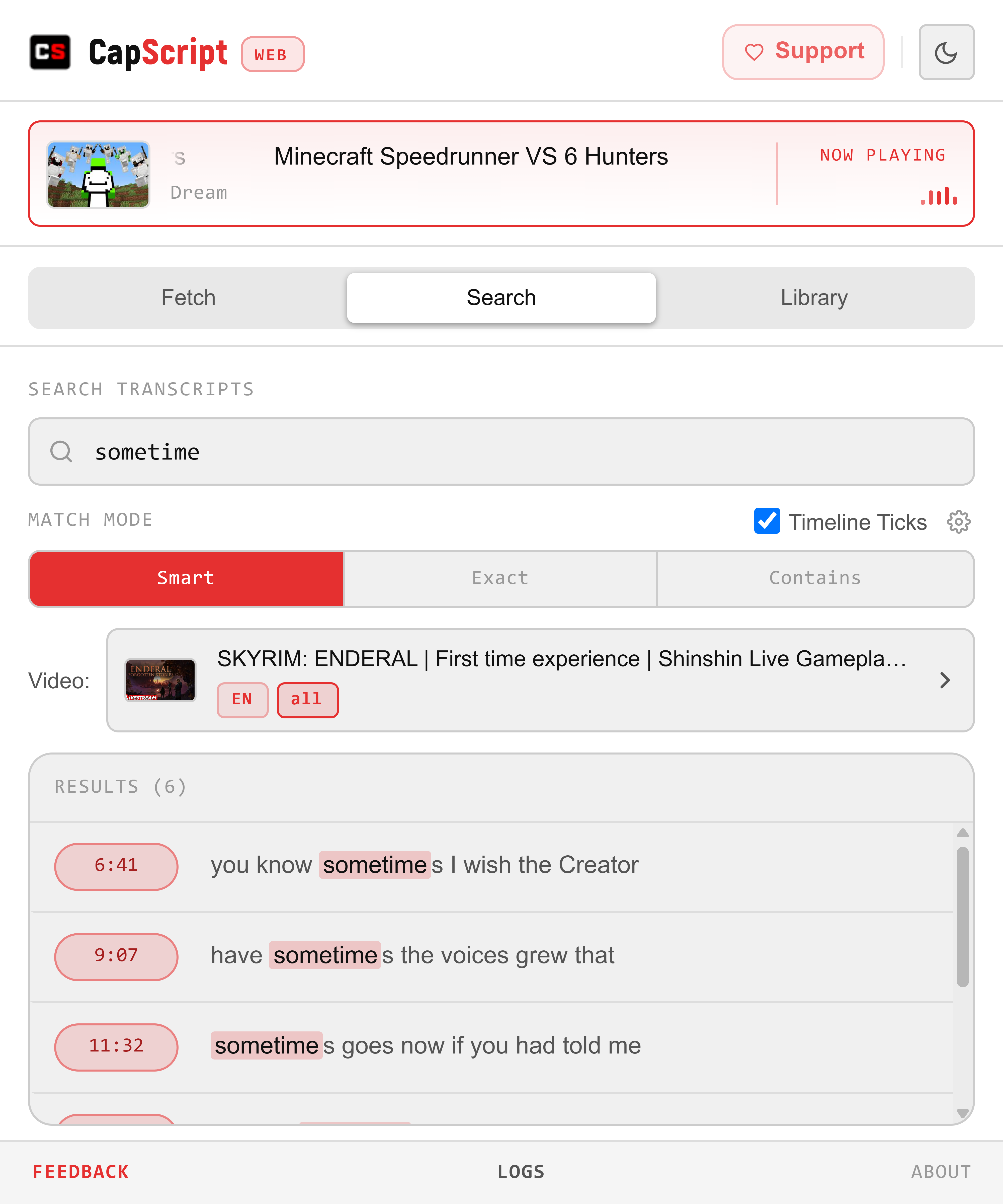
Search in Seconds

Type what you're looking for and instantly see every matching moment across the entire transcript - highlighted, timestamped, and ready to jump to.

  • Smart token matching
  • Exact phrase search
  • Flexible contains mode
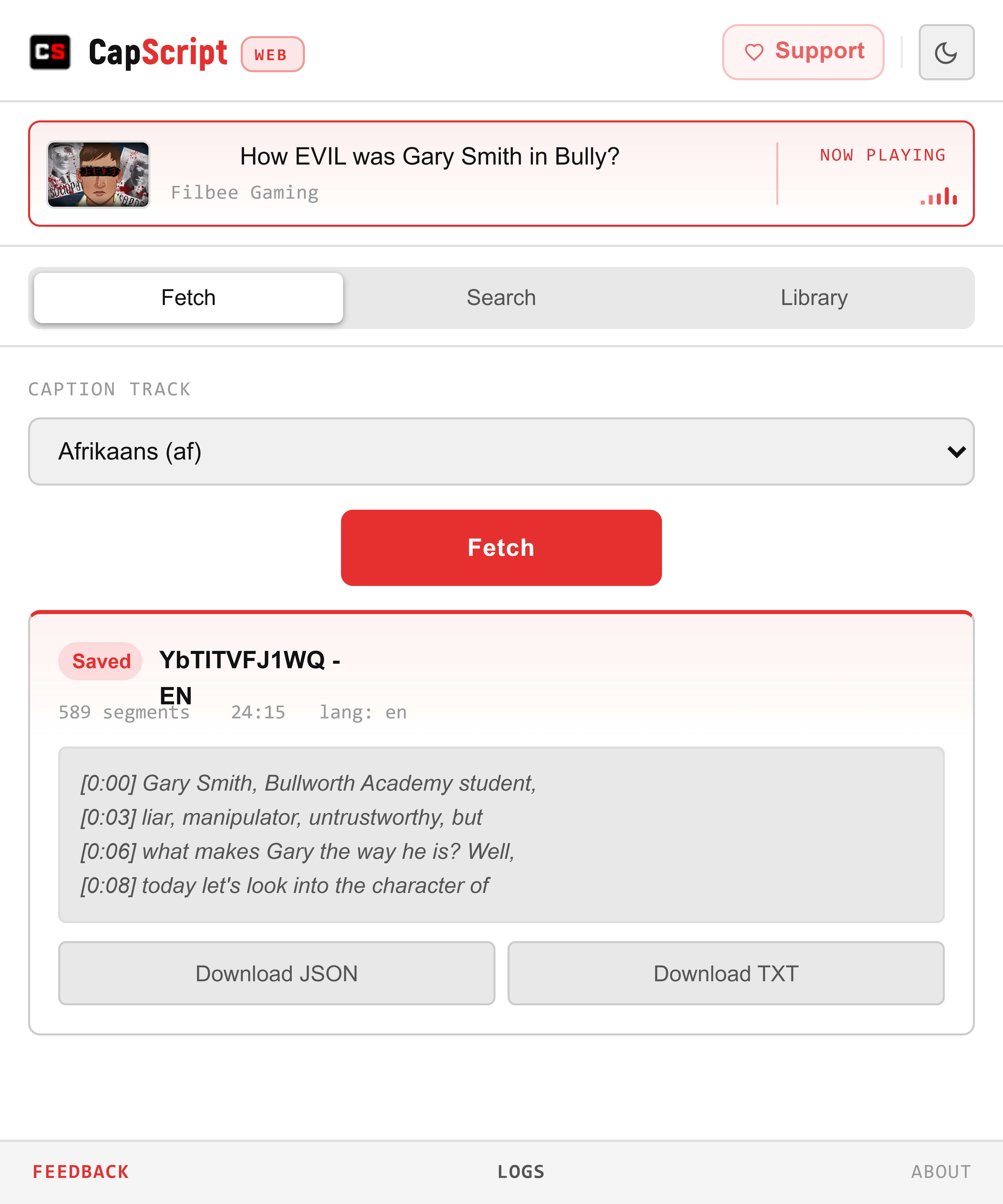
Fetch view screenshot

Jump Instantly

Click any result to teleport to that exact second in the video. No scrubbing. No guessing. The video skips straight there - with the transcript auto-scrolling to match.

  • One-click timestamp navigation
  • Visual timeline markers
  • Auto-scroll transcript sync
Search view screenshot

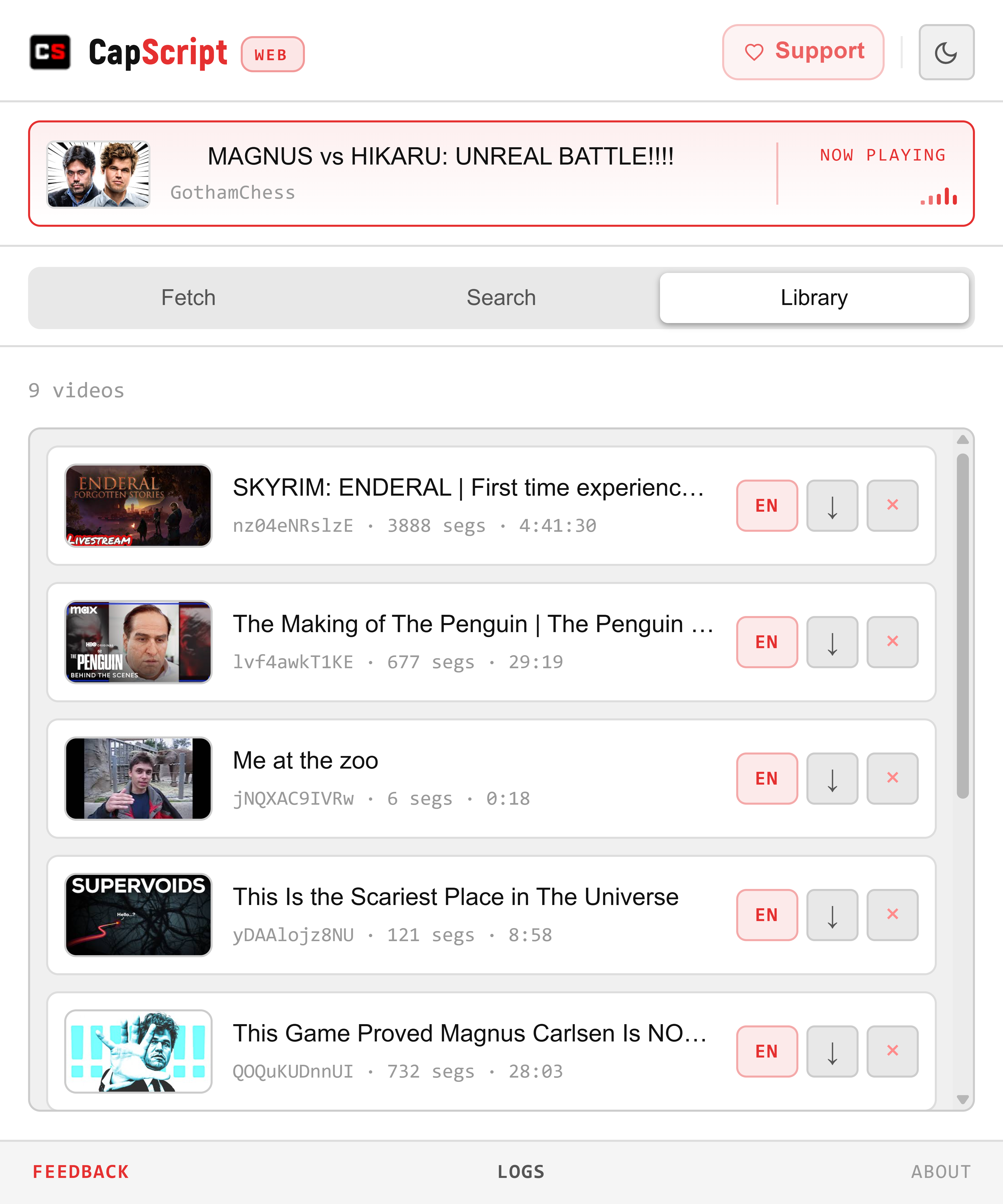
Save & Organize

Build a personal library of transcripts. Revisit any saved video and search its contents without even opening YouTube - your knowledge, curated and searchable.

  • Persistent transcript library
  • Search across saved videos
  • Organized by track and title
Library view screenshot

Skip to the right moment,
anywhere anytime.

01 — paste url Load any
YouTube video
03 — SKIP ANYWHERE YOU WANT Jump to the
exact second
02 — type a word "question"
42 matches found across the timeline — click any tick to jump

Timeline Ticks

Navigate the YouTube progress bar with clean, customizable ticks. Jump quickly to important moments and tailor markers to your workflow.

1 Customizable tick markers
2 Navigate via timeline clusters
3 Syncs with transcript highlights
Timeline ticks screenshot

Built for speed.
Built for you.

Enterprise-grade tech packed into a lightweight browser extension.

01 Local

Fast Local Search

Optimized in-browser engine uses tokenized matching and regex-based highlights to return results instantly - no network roundtrips.

Local · Low-latency
02 Privacy

Stays on Your Device

All indexing and searching happens locally in your browser - no servers, no logs, no accounts.

100% Local
03 Language

50+ Language Support

Detects and indexes caption tracks across many languages using a built-in fallback catalog for robust coverage.

50+ Languages
04 Search

Three Search Modes

Choose Smart, Exact Phrase, or Contains matching - token-aware search that balances precision and recall.

Smart · Exact · Fuzzy
05 Export

Export & Share

Download saved transcripts as JSON or plain text for archiving, analysis, or sharing with others.

JSON · TXT
06 Library

Built to Scale

Persistent local library with progressive loading - handles long videos and many transcripts without slowing down.

No limits

One-time.
$9,99.

Full access. No subscription. No tracking. Runs entirely in your browser — forever.

  1. 01
    Purchase Your License

    Complete checkout on Payhip — instant license key delivery to your inbox

  2. 02
    Install from Chrome Web Store

    Click the button below to add the extension to your browser in one click

  3. 03
    Enter Your License Key

    Open the extension and paste the key from your purchase email to activate

Works with Chromium browsers

Chrome Edge Brave Opera Vivaldi
Checkout
Instant email — no account required CapScript Web • Browser Extension • Lifetime
CapScript Web — Lifetime x1
2 Device Activations
License (Lifetime) $9.99
Powered by Payhip
Also by @serptail

Need to search
hundreds of transcripts
at once?

CapScript Pro is the desktop companion that does it all locally — bulk-search hundreds of YouTube transcripts at once, privately, instantly. No cloud. No accounts. Completely free. Forever.

Latest release · Windows · No sign-up required